Install ecoNecta2
just like a regular app.
No need to search any store. Install it directly from your mobile browser in one minute.
Open the app
Tap the button below. The app will open in your mobile browser. Don't worry if it doesn't look like an app yet — we'll install it together.
Open ecoNecta2The app itself guides you to install
Built-in installer — no fuss needed
ecoNecta2 has a built-in installer that detects your device automatically and shows you exactly how to install it. Here's what you'll see:
On Android (Chrome, Edge, Samsung Internet…)
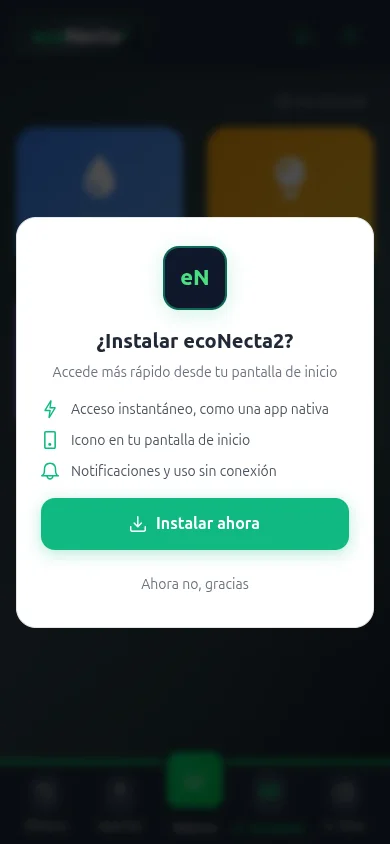
As soon as you open the app, this window appears automatically. Just tap the green "Install now" button and in 2 seconds it'll be on your home screen like any other app.
If it doesn't appear automatically, go to Settings inside the app and tap "Install on my device".
On iPhone (Safari)
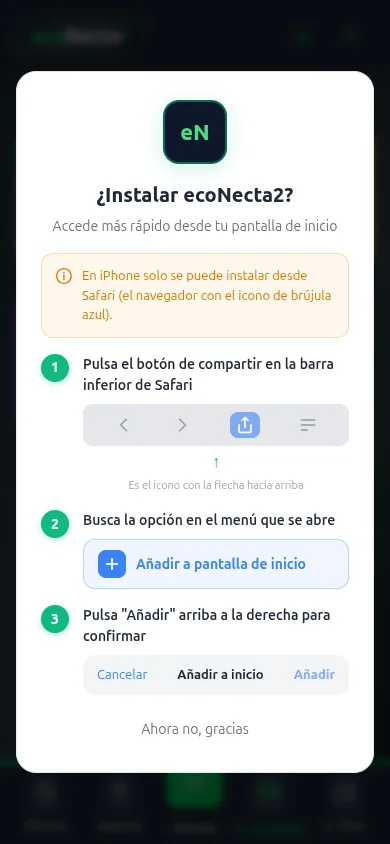
On iPhone, the app shows a visual step-by-step tutorial right on screen. It tells you exactly which button to tap to add it to your home screen from Safari.
Only works from Safari (the built-in browser on iPhone). If you use Chrome or another browser, open Safari and visit app.econecta2.com.
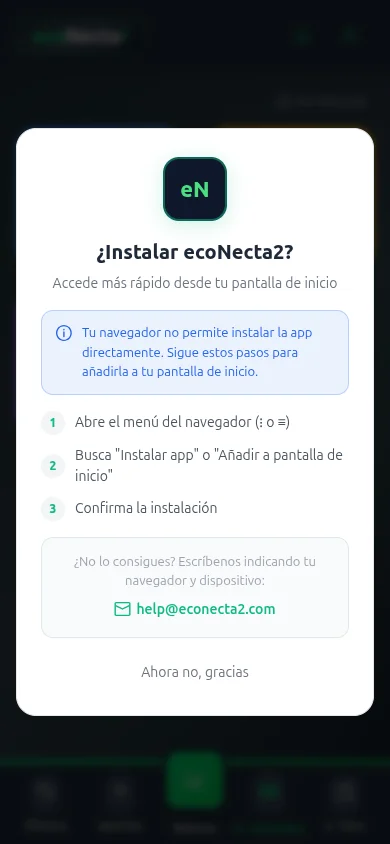
Other browser? (Firefox, etc.)
If you use Firefox or another browser, the app also gives you step-by-step instructions to install it manually. Always adapted to your browser.
Also from Settings
If you closed the modal or want to see it again
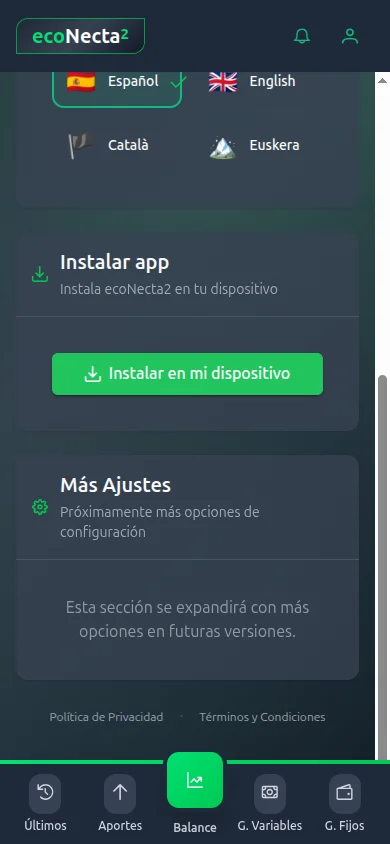
Inside the app, go to Settings and you'll find the "Install app" section with the "Install on my device" button. Tap it to open the same installer adapted to your phone.
You're in! Now register.
Takes less than a minute
Open the ecoNecta2 icon on your home screen. Tap "Register" and enter your name, email and a password. No bank details or card required.
Free · No card · No bank data
Need help?
If you can't install the app or have any questions, send us an email with your browser and device and we'll guide you step by step.
Email help@econecta2.comInclude your browser and phone model so we can help you better.